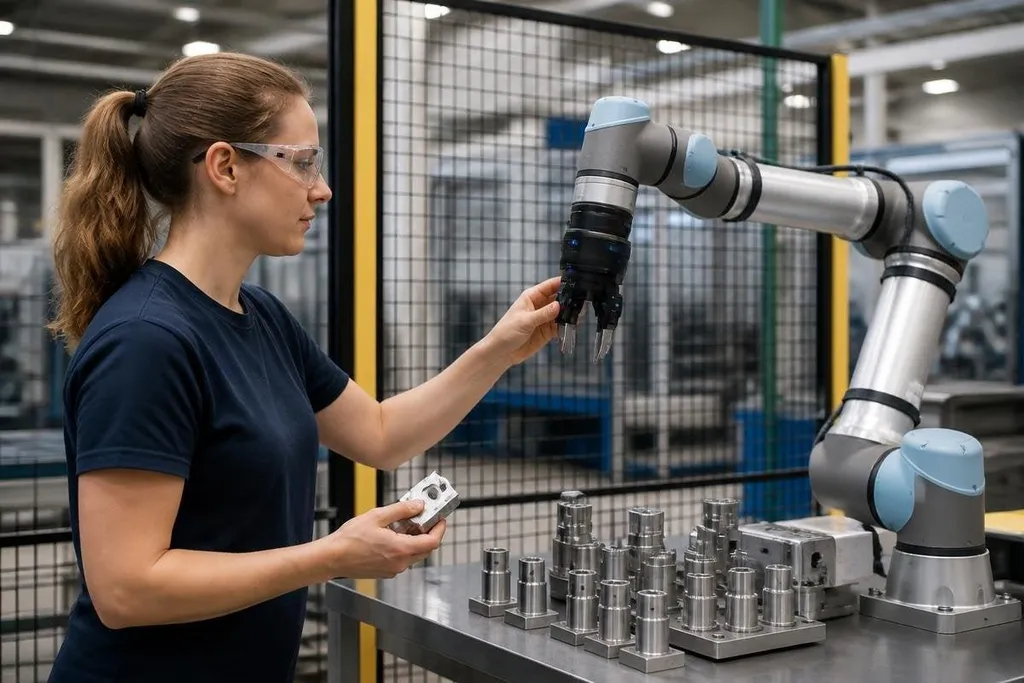
A robot arm can work beside a person when its motion, force, and stopping behavior match the task. The hard part is proving that safety holds when a person enters the work area, reaches for a part, or blocks the robot's path.
- Force limits: reduce the harm from contact.
- Speed and separation: keep the robot farther away when it moves faster.
- Monitored stops: pause motion when a safety sensor detects entry.
Safety starts with the task
Human-robot collaboration is not one operating mode. A worker may load parts by hand while a robot moves them, guide an arm to a new position, or share a work area during different steps of the same job.
That difference matters because the hazard comes from the full task, not from the robot arm alone. The tool matters, too. A slow arm carrying a sharp tool can hurt someone. Even a fast arm carrying a soft part can create a dangerous impact.
A safety review starts by listing contact points, tools, loads, pinch areas, and paths.
It also checks what happens after a sensor fault, a lost network signal, or a person entering the robot's reach. A safe design must cover the normal cycle and the likely mistakes around it.
Four ways robots work beside people
The standards use several operating modes for collaborative work. ISO 10218 covers industrial robot systems and their integration. ISO/TS 15066 adds guidance for collaborative applications, including contact limits and safety functions.
A safety-rated monitored stop pauses the robot when a person enters its work area. The robot can resume after the area is clear and the control system confirms the required conditions.
Hand guiding lets a person move the robot through a task with a control placed near the hand. The system must limit motion while the person guides it, since the operator is close to moving joints and tools.
Speed and separation monitoring changes robot speed or stops motion as the distance between the robot and person changes. A person farther away may allow faster movement; a person near the robot calls for slower motion or a stop.
Power and force limiting keeps the robot's motion and contact force within set limits. Torque sensing, motor current checks, soft covers, and rounded tool shapes can all affect the result, but each part needs a task-specific check.
These modes can work in one cell, but the control system must show which mode is active. A label on the robot does not prove that the robot is safe for every task.
Sensors do not remove the hazard
Laser scanners, light curtains, pressure mats, and camera systems can detect people or changes in the work area. Their safety value depends on placement, field of view, response time, and what the robot does after detection.
A scanner may see a person walking toward the cell but miss a hand reaching through an opening. A camera may detect a body but fail to judge the position of a small tool. The risk review has to test these gaps instead of treating sensor coverage as complete.
Robot speed also affects stopping distance. A fast arm needs more space and time to stop, so a safe separation zone must account for speed, controller delay, brake response, and the person's movement.
The zone needs a check after software changes, tool changes, and layout changes.
A safety standard matters when it changes how a machine stops or gives a person control. Robot24.com safety reporting can connect those rules to named robots and working sites, leading into the human part of the system.
The human part of the system
Training changes the risk picture. A worker needs to know the robot's normal path, the location of the emergency stop, the meaning of warning lights, and the steps for a safe restart.
The work area also shapes behavior. A blocked walkway may push people into the robot's path. A hard-to-reach stop button may delay a response. Poor lighting can hide a warning sign or make a floor marking hard to see.
Maintenance needs its own procedure. A robot with a removed guard, changed tool, or altered speed setting may no longer match the original risk review. I'd stop a deployment when the safety case depends on a feature nobody has tested after a change.
A practical safety check
Use this list before a person and robot share a work area:
- Map the task: mark tools, loads, pinch points, reach zones, and likely human paths.
- Name the operating mode: record when the robot uses monitored stop, hand guiding, speed and separation monitoring, or force limiting.
- Check the stop: measure the distance and time needed for the robot to stop from its highest task speed.
- Test sensor gaps: try entry from the sides, below, above, and through access openings.
- Review changes: repeat the check after software, tool, speed, layout, or maintenance changes.
- Train the team: show workers how to stop, isolate, report, and restart the system.
Safe collaboration is a repeated engineering check, not a label added during installation. The open question for each cell is specific: can the robot stop, limit contact, and leave a person enough space when the task goes wrong?